Popunder Ads
Popunder ads that turn traffic into predictable revenue
Run CPM, CPC or CPA Popunder campaigns backed by a constantly growing base of publisher inventory — or add a Popunder zone to your site in minutes and start collecting payouts.
Why run Popunder with AdsBender
Results you can read
Impressions, clicks and conversions are tracked for every campaign, so you can see whether the offer, country and landing page are working.
Smarter spend
Automated bidding tools help you get more from every dollar without babysitting your campaigns.
Vetted offers
Pull from a shortlist of offers our team has already seen convert well on this exact format.
Broad reach
Reach traffic across major regions without any extra setup on your end.
Verticals that perform well with Popunder
Apps
Drive installs and re-engagement with a format built around a single, unmissable action.
iGaming & Sports
Pair a full-page Popunder with a strong landing page to move fast-moving betting and casino offers.
Software & Utilities
Give VPNs, cleaners, and antivirus tools room to make their pitch before the visitor moves on.
eCommerce
Surface a seasonal promo or cart reminder without competing with the page the visitor is already on.
The Popunder toolkit for advertisers & publishers
Self-serve platform
Launch campaigns, adjust bids, and fine-tune targeting from one control center.
Budget & bid tools
Automated bidding helps allocate spend efficiently as a campaign runs.
Real-time auctions
Traffic is priced through live auctions, which helps you avoid overpaying for impressions.
Conversion tracking
Hook up your tracker of choice and pull performance data through the API.
Campaign guidance
Get help structuring a new campaign from a team that watches this format daily.
Live partner support
Reach a real person when a campaign needs a second look.
Popunder specs
| Pricing models | CPM, CPC or CPA |
|---|---|
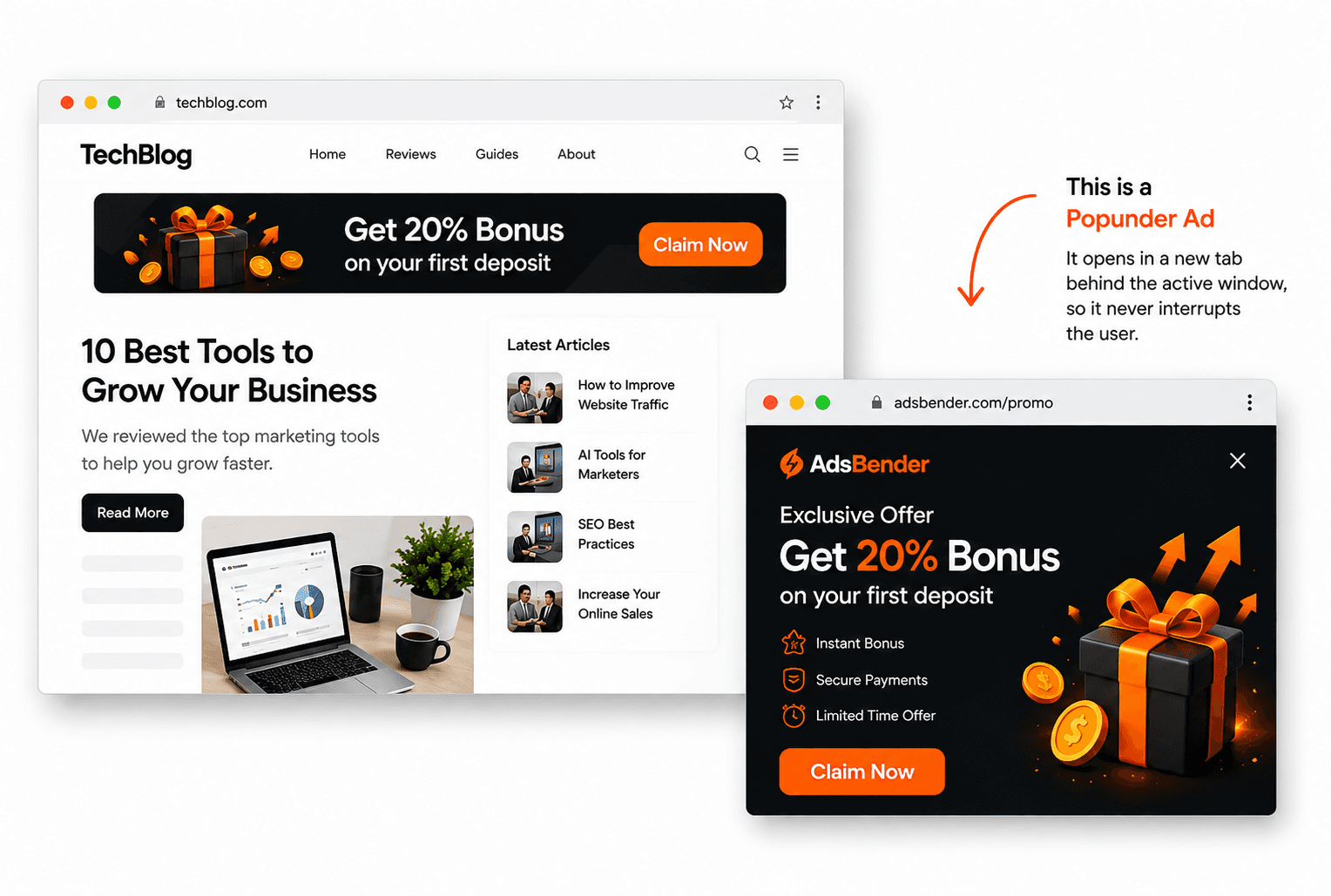
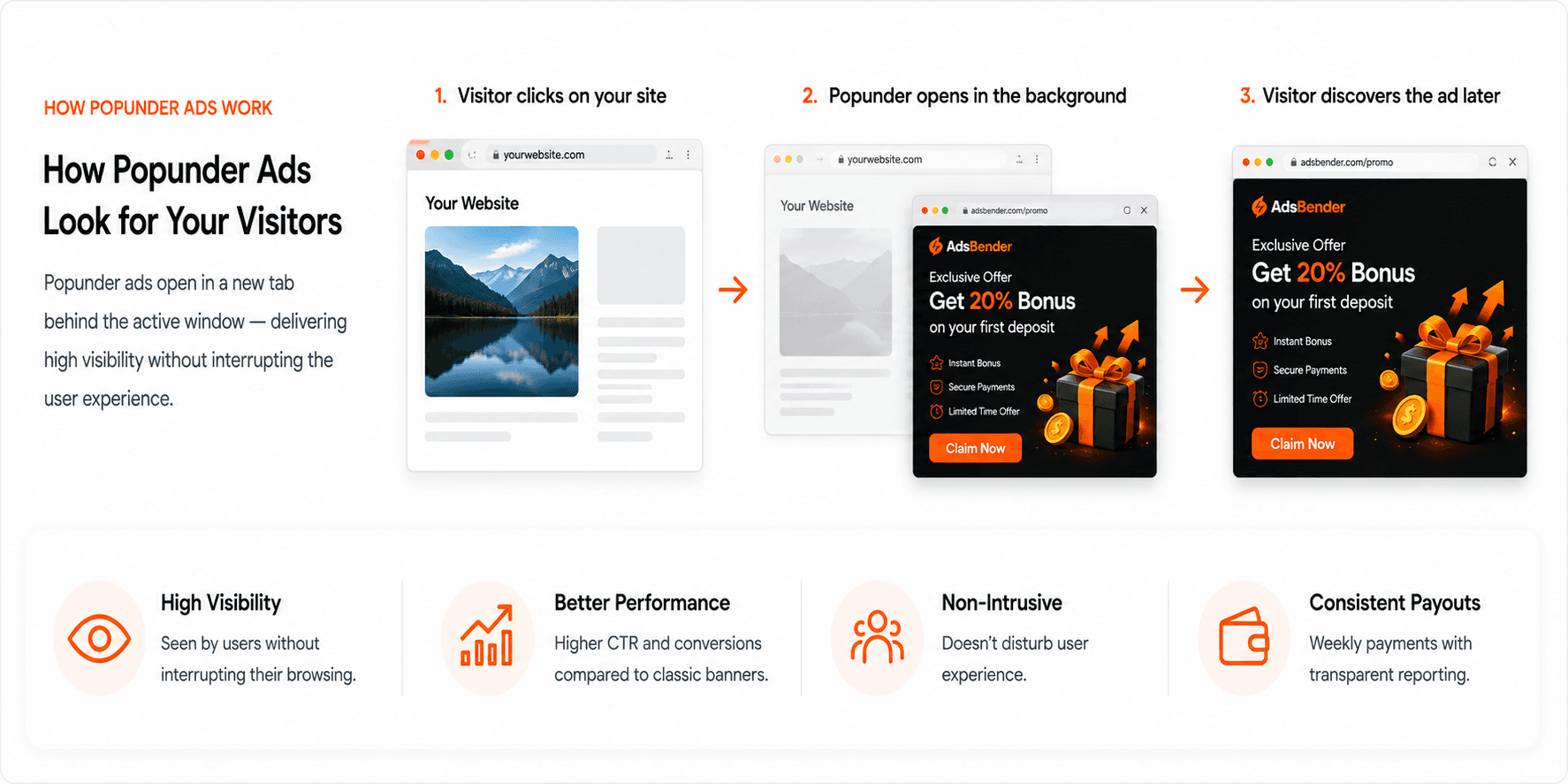
| Where it shows | Opens behind the visitor's current window and is seen when they close it. |
| Recommended size | 800 × 600 px |
| Devices | Desktop, mobile and tablet. New campaigns target all three by default. |
| Country targeting | Choose from 66 countries, and set a separate bid for any of them. |
| Budget and bids | A campaign's total budget starts at $10 and the smallest bid is $0.01. |
| Frequency cap | Optional. By default a visitor is shown a campaign once every 24 hours; you can choose another limit when you create the campaign. |
| Review | Every campaign and every ad zone is reviewed before it serves. |
Popunder FAQ
Where does a Popunder ad appear?
It opens behind the visitor's current window and is seen when they close that window, so it does not sit on top of the page they came to read.
Which pricing models can I use for Popunder?
Popunder can be bought on CPM, CPC or CPA. You choose the model when you set up the campaign and the bid is yours to set. The pricing models page explains how to choose between them.
How much do I need to start a Popunder campaign?
A campaign's total budget starts at $10 and the smallest bid is $0.01. Your wallet needs at least the campaign's total budget free, and never less than $10. Wallet top-ups start at $0.10.
Will a Popunder zone slow my site down?
Any ad code adds a script to your page. Our guide on adding ad zones without hurting Core Web Vitals covers where to place it and what to measure.
Other ad formats
Compare all ad formatsChoose a pricing modelPopunder in the glossaryPopunder vs. Interstitial: which converts better
Ready to try Popunder?
Whichever side of the network you're on, it takes minutes to get your first campaign or ad zone live.