In-Page Push Ads
In-Page Push ads: native notifications that earn the click
Run CPM, CPC, or CPA campaigns on In-Page Push traffic as an advertiser — or monetize every impression on your site as a publisher, without needing users to opt in first.
How do In-Page Push ads work?
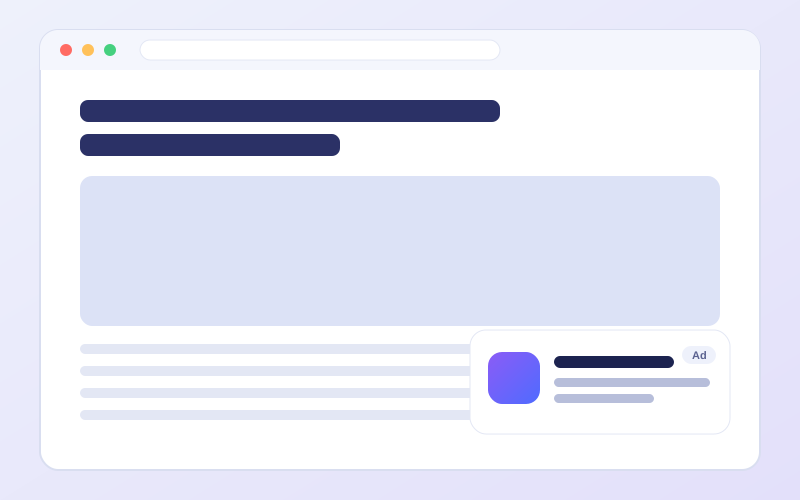
In-Page Push places a native-style notification directly in the page content, which tends to make it more visible than a typical browser push message. It's designed to work on desktop and mobile in all major browsers.
For advertisers: steady CPM, CPC, and CPA traffic with engagement that holds up well across verticals.
For publishers: an extra revenue layer that stacks cleanly alongside your other ad formats, without the opt-in friction that increasingly limits browser push notifications.
How to run In-Page Push ads?
- 1Sign up or log in as an advertiser.
- 2Head to the campaign builder.
- 3Pick a pricing model and select In-Page Push as the ad unit.
- 4Set your targeting — country, device, and traffic type.
- 5Upload creatives and submit your campaign for review.
- 1Sign up or log in as a publisher.
- 2Open your ad zones and add a new one.
- 3Fill in your site details and choose In-Page Push as the format.
- 4Wait for zone approval, then grab your code snippet.
- 5Place the snippet on your site and start earning.
In-Page Push specs
| Pricing models | CPM, CPC or CPA |
|---|---|
| Where it shows | A notification-style message inside the page content, not in the browser's own push system. |
| Visitor opt-in | None. The visitor does not have to allow notifications first. |
| Devices | Desktop and mobile |
| Review | Every campaign and every ad zone is reviewed before it serves. |
In-Page Push FAQ
How is In-Page Push different from browser push?
Browser push needs the visitor to allow notifications and is delivered by the browser. In-Page Push is drawn inside the page itself, so there is no permission prompt to accept. Our guide explains what changed.
Do my visitors have to opt in?
No. The message is part of the page, so there is nothing for the visitor to allow or block first.
Which pricing models can I use for In-Page Push?
In-Page Push can be bought on CPM, CPC or CPA. You choose the model when you set up the campaign and the bid is yours to set. The pricing models page explains how to choose between them.
How do I get started with In-Page Push?
Create an advertiser or publisher account. Every campaign and every ad zone is reviewed before it serves. If you have a question before you start, write to support@adsbender.com.
Other ad formats
Compare all ad formatsChoose a pricing modelIn-Page Push in the glossaryIn-Page Push vs. browser push
Ready to try In-Page Push?
Whichever side of the network you're on, it takes minutes to get your first campaign or ad zone live.